ONEDIAL FOR iOS AND ANDROID
Time tracking, one dial at a time.
Build routines, manage tasks, and stay focused with a beautiful circular timer. OneDial makes time tracking intuitive and effortless.
INSIDE THE APP
See what a single dial can do.
A clean, focused interface designed to keep you productive without getting in the way.
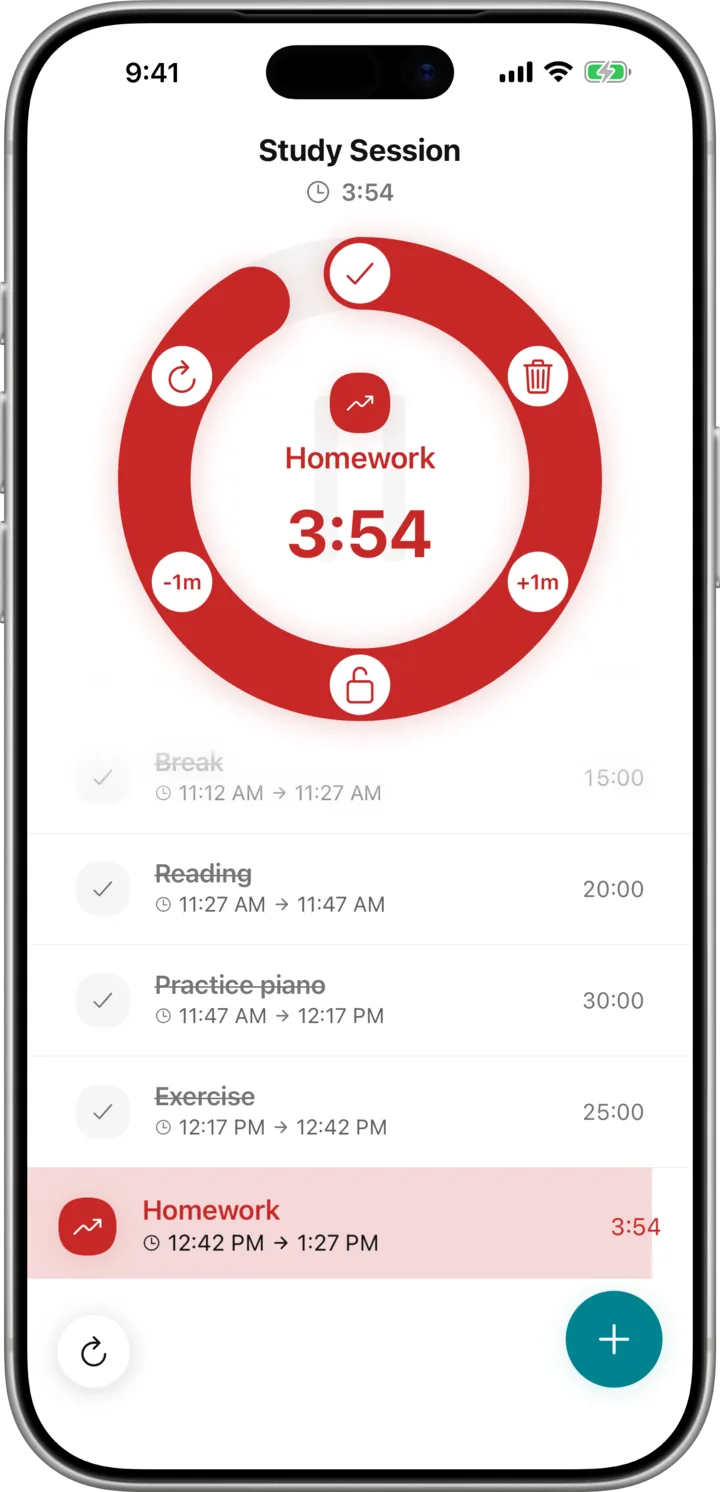
The dial
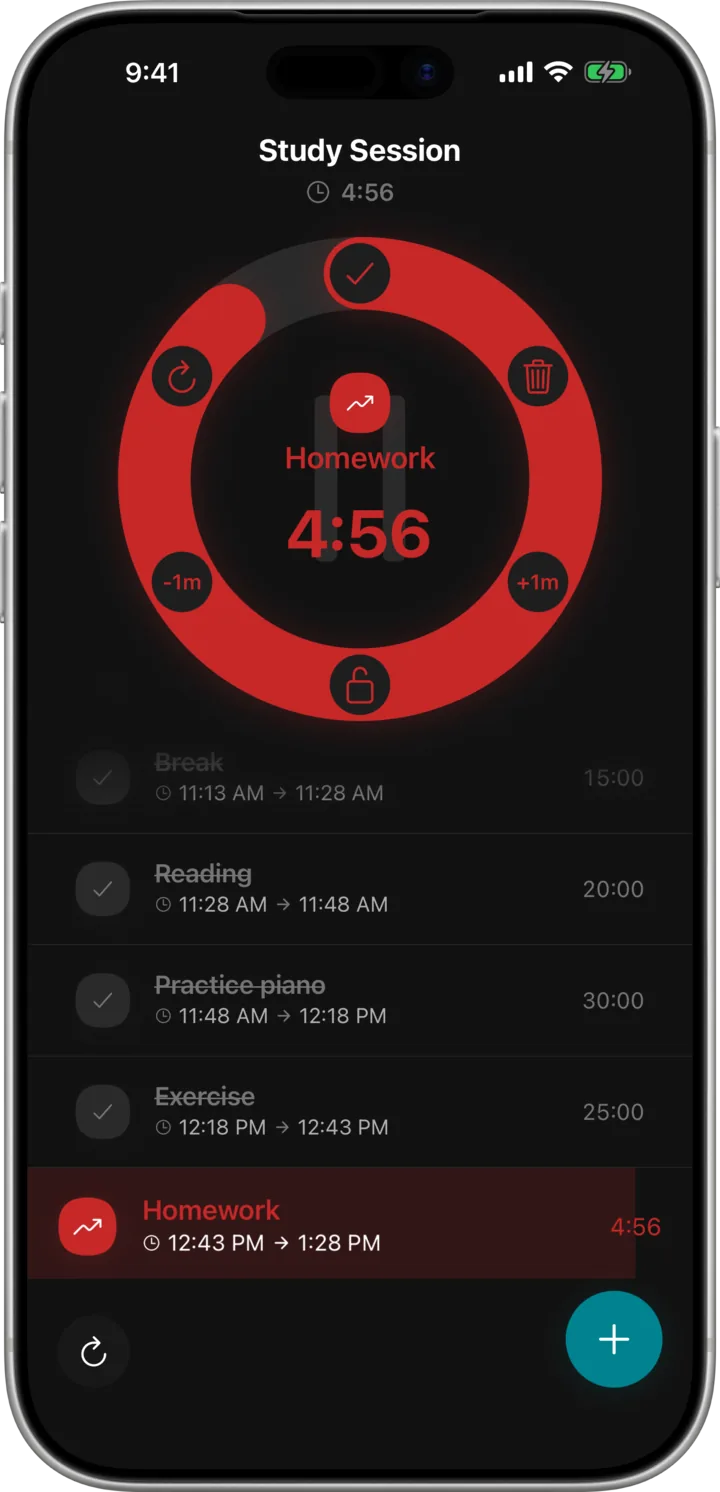
One dial for the task at hand.
The ring shows what is running and how much is left. Add a minute, drop a minute, mark it done, or lock the dial and let the routine carry you to the next task.
- Stretch or trim the current task by a minute
- Tick it off and the next one starts
- Lock the dial to stay on the routine
Routines
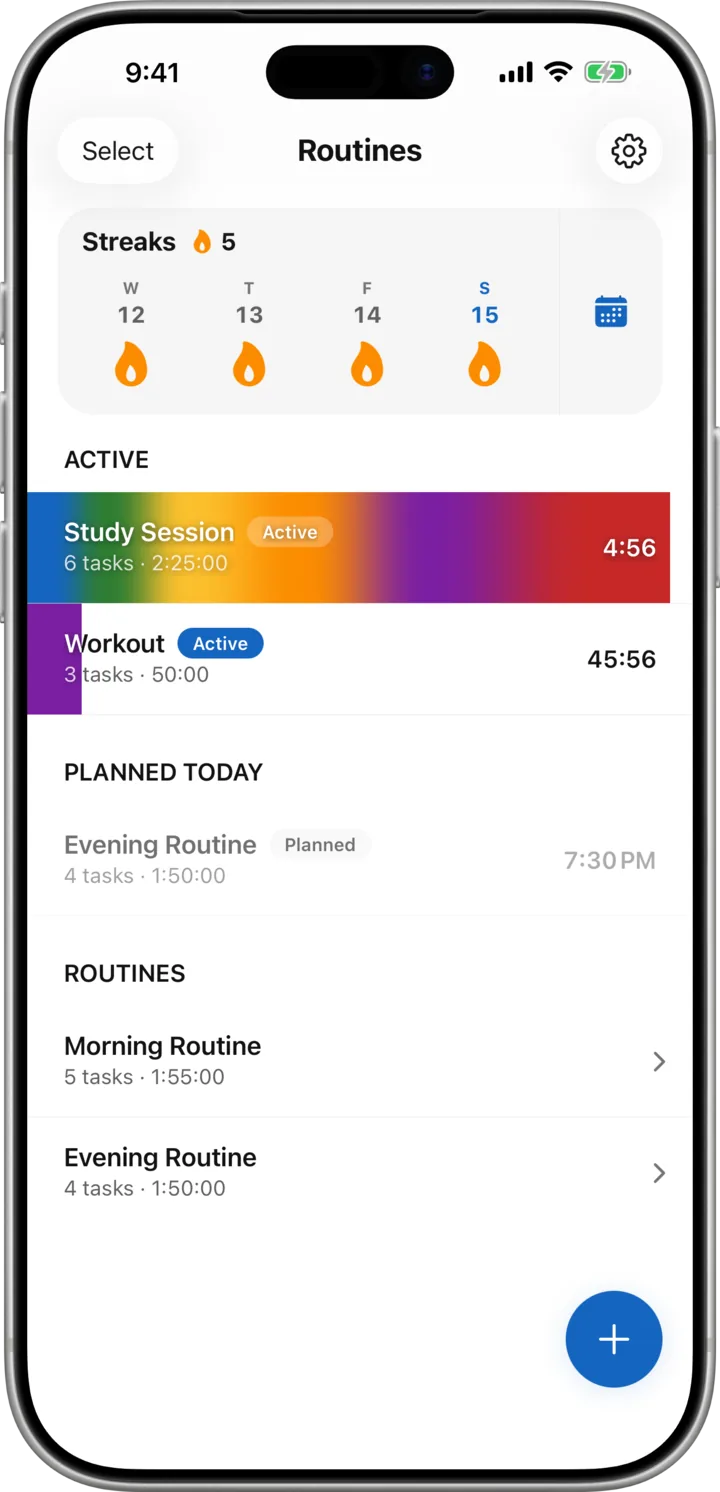
Run routines side by side.
Group the tasks you repeat into a routine, then start it with one tap. Two can run at once, and what is planned for later in the day sits right underneath.
- One tap starts the whole routine
- Two routines can run at the same time
- Later today stays in view underneath

Widgets
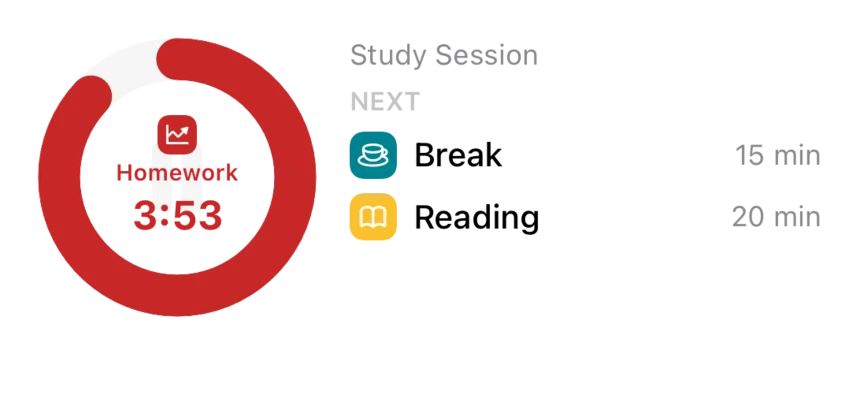
The dial on your Home Screen.
Small keeps the running task and its countdown one glance away. Medium adds the routine it belongs to and the tasks queued up next. Both refresh as the dial turns.
- Small: the running task and its countdown
- Medium: the routine and what is queued next
- Both refresh as the dial turns
- On iPhone and iPad, with Pro
Live Activity
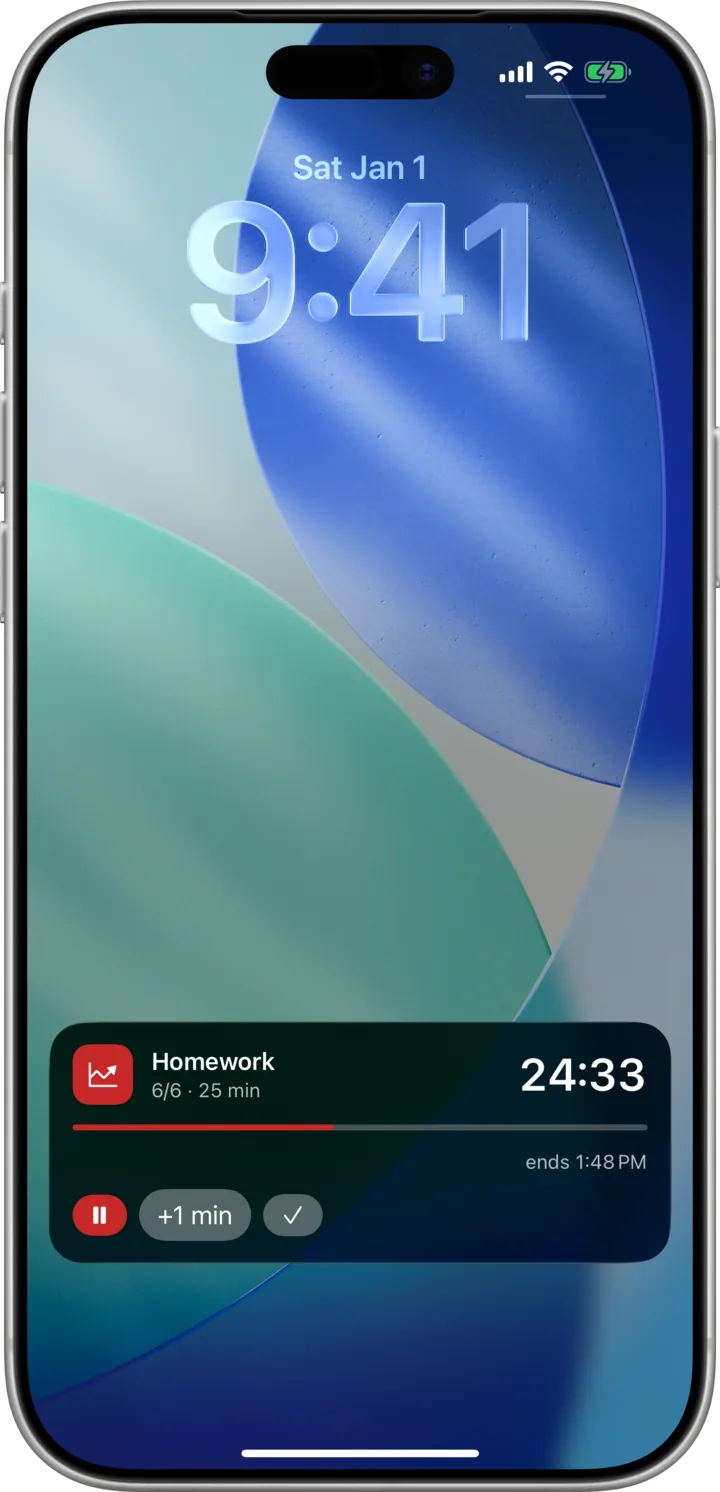
Control it from the Lock Screen.
The running task lives on your Lock Screen and in the Dynamic Island. Pause, add a minute, or tick it off without unlocking the phone.
- Pause and resume without unlocking
- Add a minute straight from the Lock Screen
- Folds into the Dynamic Island as well
- On iPhone and iPad, with Pro
Dark mode
Made for day and night.
A dark theme that follows the system, tuned so the dial stays readable in a dim room without lighting up the whole screen.
- Follows the system theme automatically
- The dial stays readable in a dim room
- No screen full of light at midnight
WHAT IT IS FOR
A timer for the day you repeat.
OneDial is a personal routine timer, not a timesheet. No clients, no invoicing, no shared workspace — just the sequence you already do, timed.
Study blocks
Set the session up once — read, notes, practice, break — and start it tomorrow with one tap instead of rebuilding the timer every night.
Workouts
Sets and rests as tasks in order. Lock the dial and it moves you through the whole circuit without you touching the phone between them.
Getting started at all
The hard part is beginning, not timing. One dial shows the task in front of you and nothing else, and the next one starts on its own.
QUESTIONS
Before you download.
Is OneDial free?
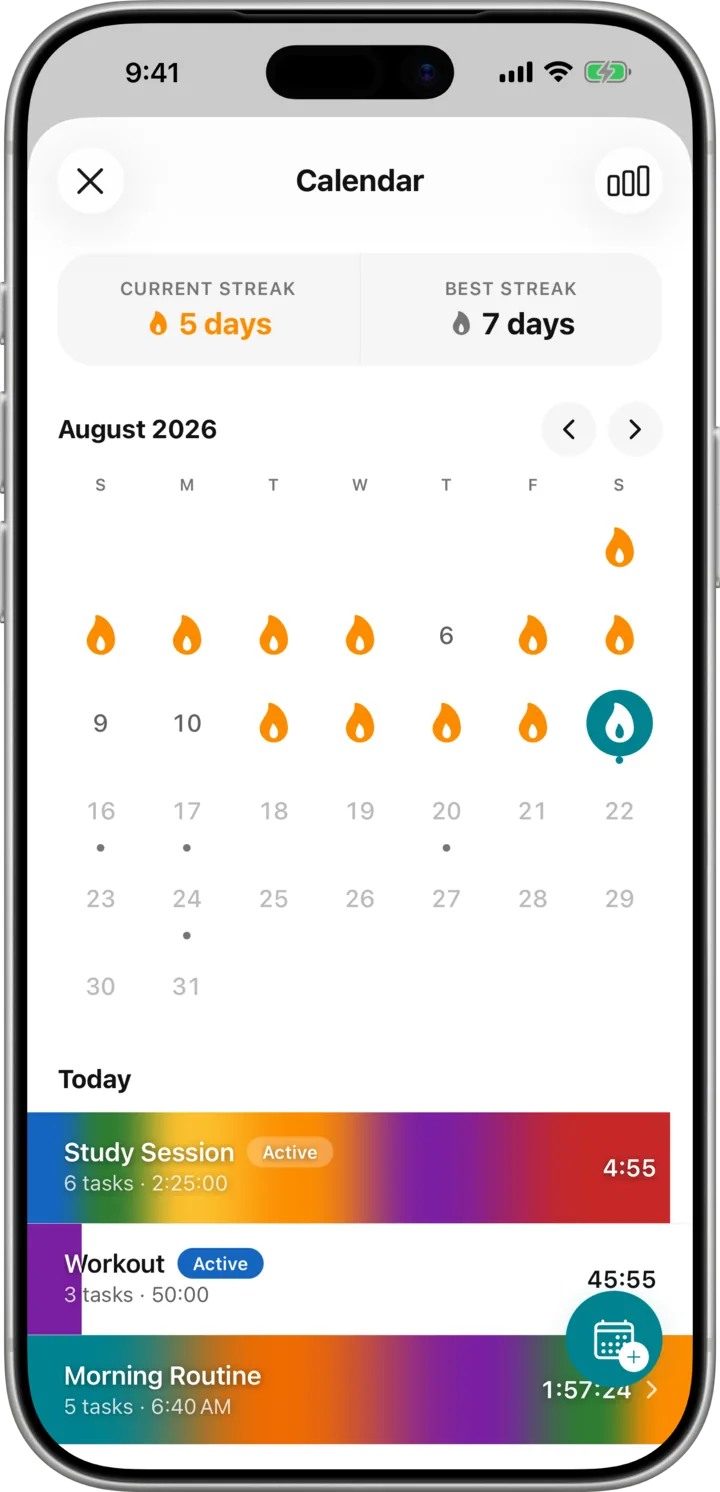
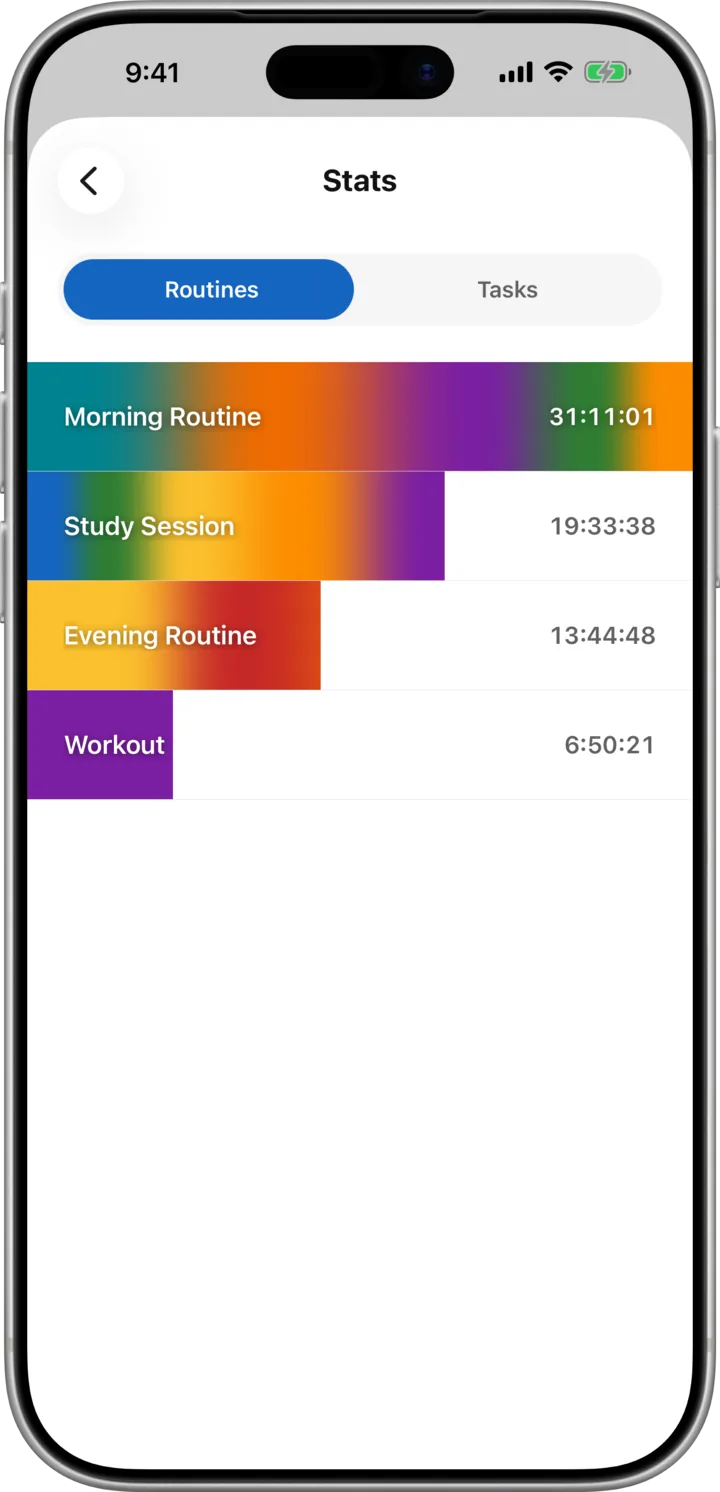
Building routines is free, however many you want, with however many tasks in each. The dial itself and running your routines are free too. Pro adds the history calendar, planned routines, time charts, Home Screen widgets, Live Activity, and the auto-play and auto-loop toggles.
Can I run two routines at the same time?
Yes. Two routines run side by side, each keeping its own dial and countdown, and whatever you have planned for later in the day stays visible underneath them.
Does OneDial work offline?
Entirely. Everything lives on your device, there is no account to create, and the app needs no connection to run a routine. The only time it reaches the network is to process or restore a purchase.
Do my routines sync between devices?
No. Your routines and history stay on the device that created them, which is what keeps the app account-free and fully offline. Moving to a new phone does not carry them across.
Is there a one-time purchase instead of a subscription?
Yes. Pro is sold monthly, yearly, or as a one-time lifetime purchase, and there is a free trial if you want to try it first. Subscriptions renew automatically and can be cancelled at any time.
Are the widgets and Live Activity available on Android?
Not yet. The Home Screen widgets and the Lock Screen Live Activity are built on WidgetKit and ActivityKit, so they are on iPhone and iPad only. Everything else — routines, the dial, the calendar, and the charts — works the same on both platforms.
What languages does OneDial support?
Twelve: English, German, Spanish, French, Japanese, Korean, Polish, Portuguese, Russian, Ukrainian, and both Simplified and Traditional Chinese.
Can I use it to track billable hours for clients?
OneDial is built for your own routines rather than for client work. There are no shared workspaces, no invoicing, and no timesheet export, so if you need to bill someone at the end of the month a dedicated time tracker will serve you better.
Start tracking your time today.
Download OneDial and take control of your daily routines. Free to get started.
